Skip to content
RingoX keeps business communication moving. Desktop · Mobile · Web App
WHY RINGOX

Business communication shouldn’t feel complicated.

RingoX brings business calling, messaging and everyday communication tools into a connected experience designed to work across the devices your team already uses.

OUR APPROACH

Less friction between people, devices and conversations. More focus on the communication that actually moves your business forward.

THE RINGOX DIFFERENCE

Start with the problem. Remove the friction.

Business communication becomes harder when calls, context and devices feel disconnected. RingoX is designed around a simpler idea: keep the communication experience connected.

TRADITIONAL EXPERIENCE → RINGOX APPROACH
Fewer disconnected places to manage a conversation.

Instead of treating calling, messaging and day-to-day communication as separate experiences, RingoX brings the essential tools closer together.

WITHOUT A CONNECTED EXPERIENCE

Communication feels scattered

Different places for different communication tasks
More switching between tools and screens
Harder to keep the conversation connected
→
THE RINGOX APPROACH

Keep communication closer together

Calling and messaging within one business experience
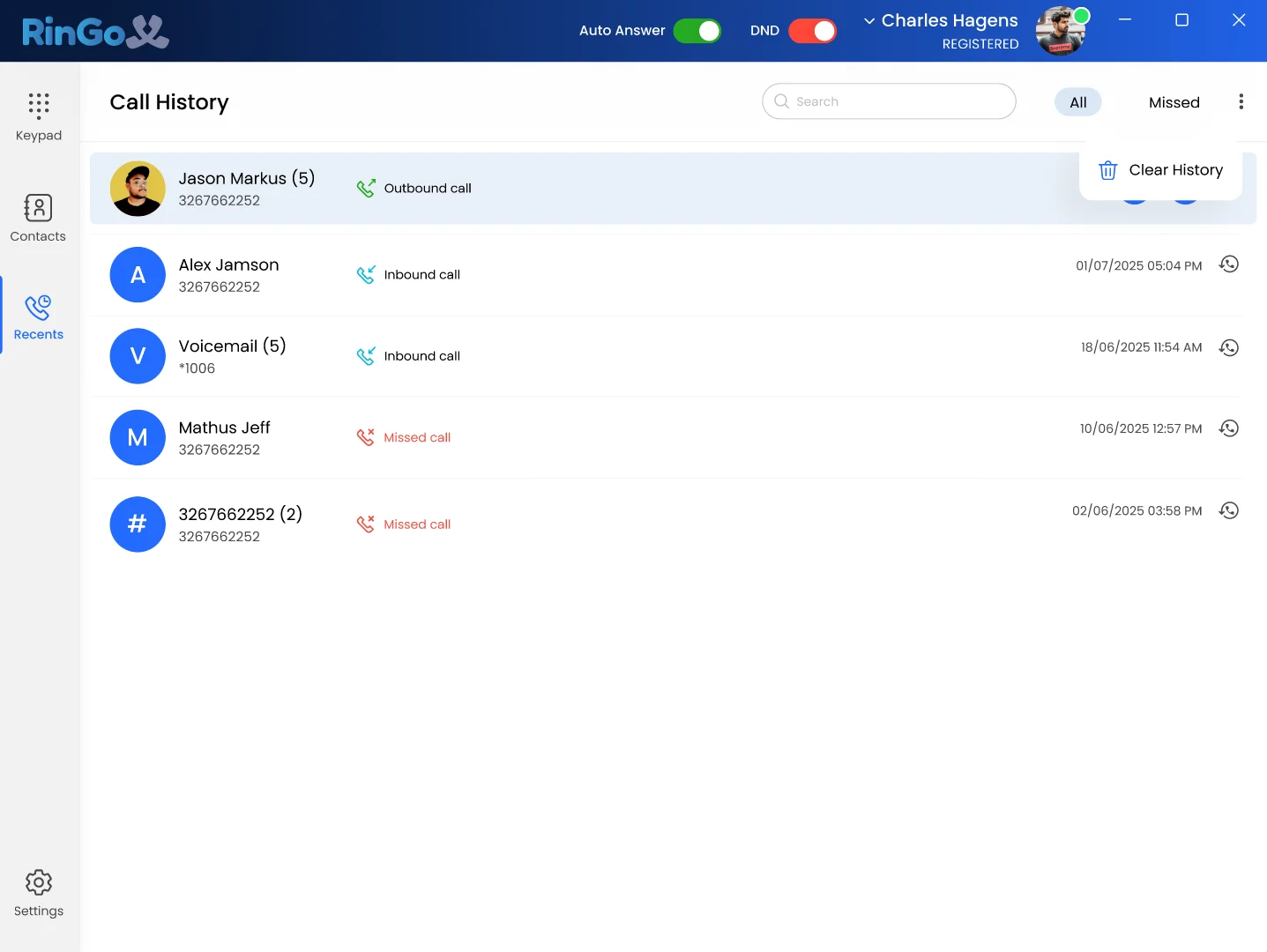
Contacts and recent activity stay accessible
Desktop, mobile and Web App options
SIX REASONS TO CHOOSE RINGOX

Built around the way modern businesses actually communicate.

01
Stay connected across devices.

Move between supported desktop, mobile and web environments without treating each device like a completely separate communication system.

ACCESS Desktop · Mobile · Web App
02
Keep conversations in context.

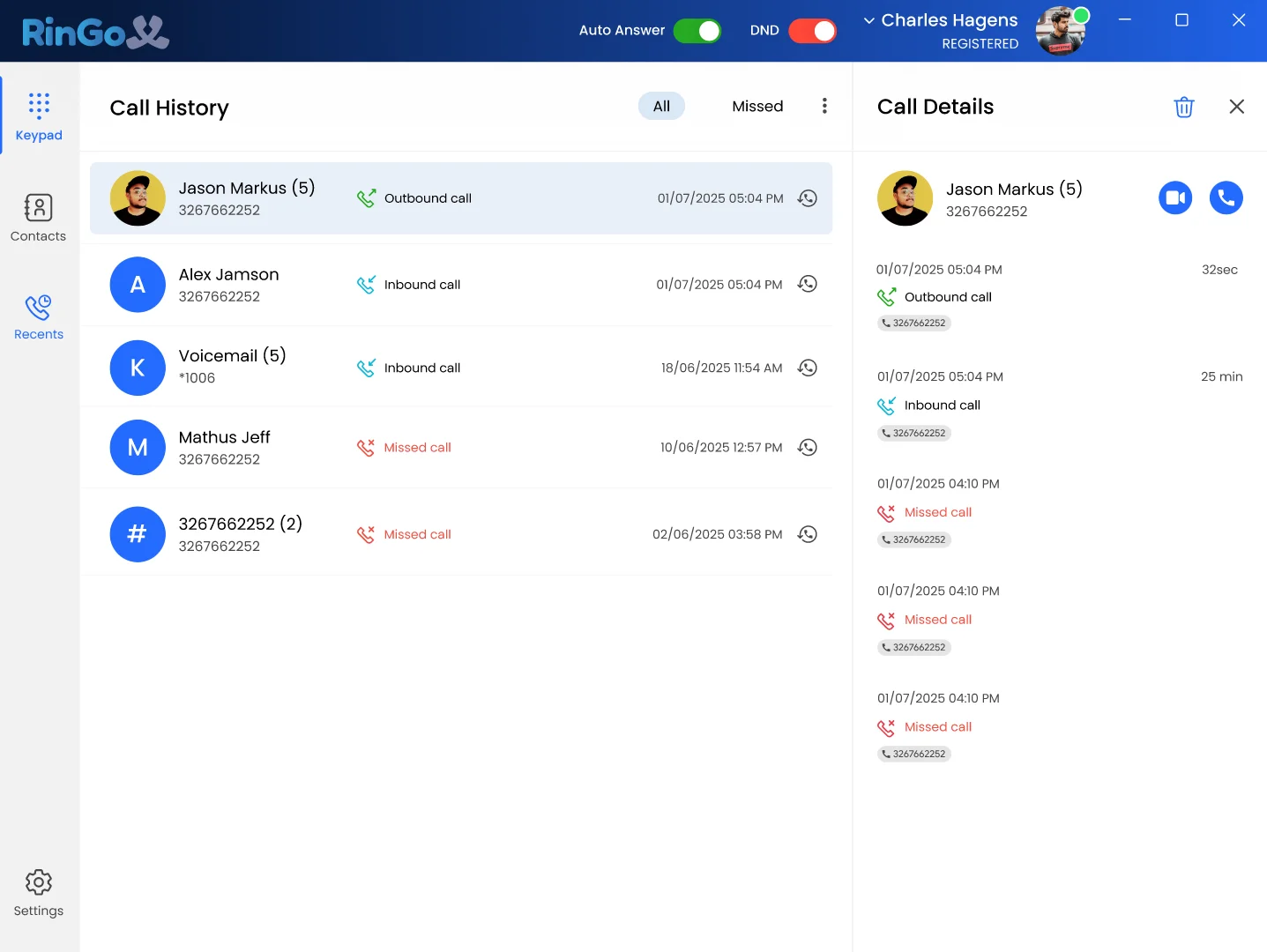
Recent calls, contacts and supported notes help you return to communication with more of the context around what happened before.

CONTEXT History · Contacts · Notes
03
Handle calls without unnecessary complexity.

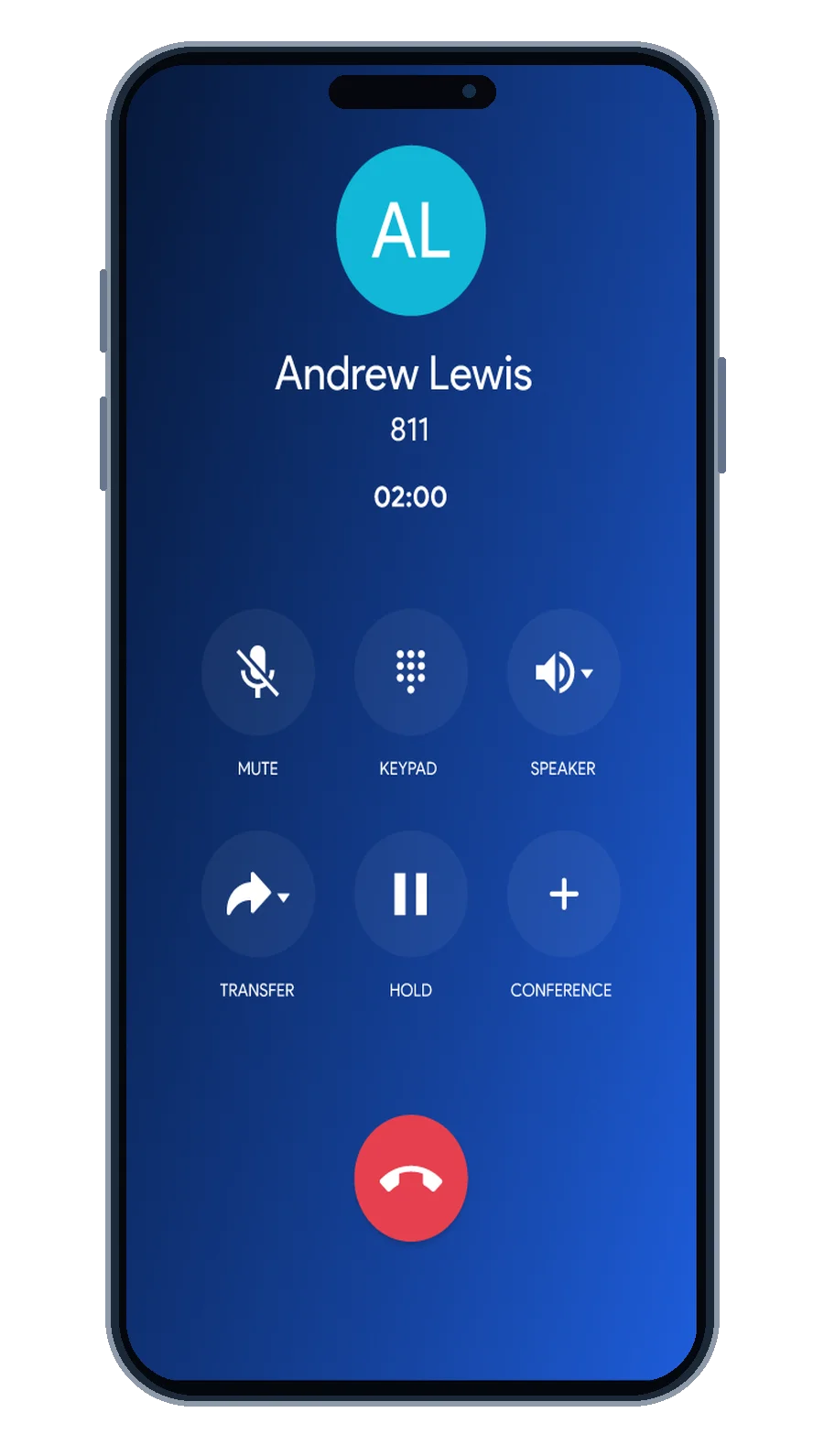
Make and receive calls, transfer supported calls, create conference calls and manage active conversations through a modern business phone experience.

CALL CONTROL Transfer · Conference · Multiple Calls
04
Keep calling and messaging closer together.

Use RingoX for business calling and business SMS so customer communication is not split into completely unrelated experiences.

COMMUNICATION Voice + Business SMS
05
Give different teams one platform.

Sales, customer support, operations, remote teams and growing businesses can use the same core communication experience in different ways.

FLEXIBILITY Different workflows. Same foundation.
06
Start where you are. Grow when you need.

Choose Basic, Premium or Enterprise based on your messaging volume, device requirements and need for more advanced functionality.

SCALE Basic → Premium → Enterprise
ONE EXPERIENCE · MORE THAN ONE SCREEN

Work from the device that makes sense right now.

RingoX supports a flexible workday by giving you desktop, mobile and Web App options rather than tying business communication to one physical desk.

RingoX Desktop App
RingoX Mobile App
RingoX Web App
RingoX Web App
RingoX Desktop App
RingoX Mobile
RingoX Web App
FROM FIRST RING TO FOLLOW-UP

The conversation does not stop when the call ends.

1
STEP 01

Incoming Call

See the incoming conversation and decide how you want to handle it.

2
STEP 02

Active Conversation

Use the call controls you need while the conversation is happening.

3
STEP 03

Transfer

Move supported calls when another person needs to continue the conversation.

4
STEP 04

Conference

Add another participant when the conversation needs more than two people.

5
STEP 05

History & Follow-Up

Return to recent activity and supported notes after the live conversation is finished.

BUILT FOR REAL TEAMS

Different roles. One communication foundation.

RingoX does not require every team to work in exactly the same way. Different roles can use the same platform for the communication tasks that matter to them.

Sales
Handle outbound and inbound business conversations, return to recent activity and stay reachable across devices.
Calling Contacts History
Customer Support
Answer incoming conversations, transfer calls when needed and add other participants when a situation requires it.
Incoming Calls Transfer Conference
Operations
Keep routine communication accessible and use recent history when coordination depends on what happened earlier.
Calls Messaging History
Flexible Teams
Move between supported desktop, mobile and browser environments throughout the workday.
Desktop Mobile Web App
Growing Businesses
Start with the communication capacity you need now and move to a higher RingoX plan when requirements change.
Basic Premium Enterprise
LESS COMPLEXITY

The goal is not more software. It is better communication.

DISCONNECTED EXPERIENCE
Calling Separate place
Messages Another place
Recent Activity Harder to return to
Devices Different experience
→
RINGOX EXPERIENCE
RingoX One connected business communication experience
WHAT STAYS CONSISTENT

The essentials remain close.

Wherever your workday moves, RingoX keeps the core communication experience centered around the tools you need most often.

01

Business Calling

Make and receive professional business calls.

02

Business SMS

Keep supported text communication within your business workflow.

03

Contacts

Keep important people and business contacts accessible.

04

Recent Activity

Return to previous calls when you need context.

05

Call Controls

Use supported transfer, conference and active-call controls.

06

Multiple Device Access

Work through supported desktop, mobile and Web App experiences.

WHY RINGOX?

Because business communication should work around you.

Bring calling, messaging, devices and everyday communication tools together in a RingoX experience built for the way your business works.